How to Choose the Right Thermostat for Your HVAC System
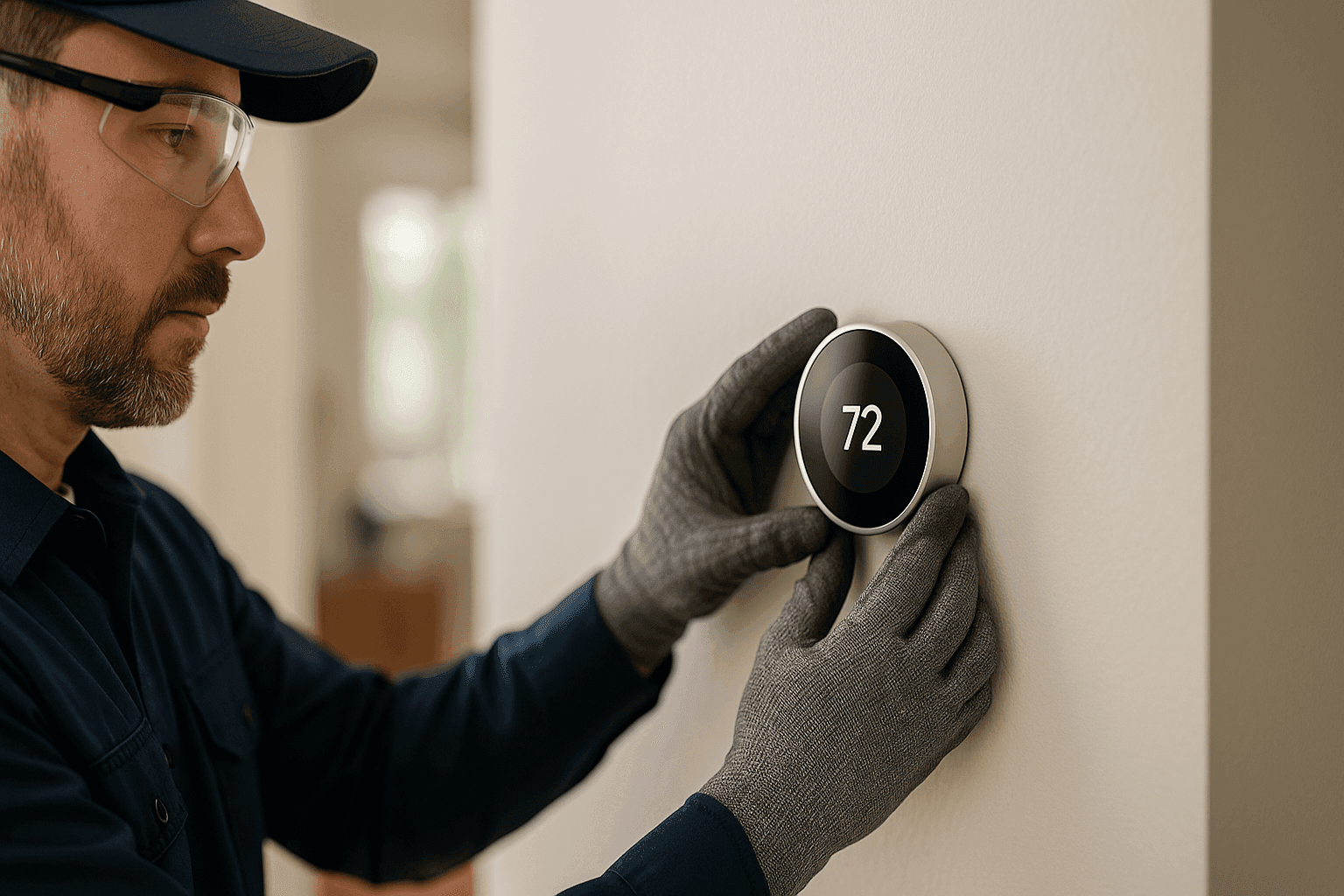
Ever feel like your home or business is too hot, too cold, or just not quite right? A thermostat is the steering wheel of your HVAC system. Choose the wrong one, and you’ll be fighting an uphill battle for comfort and savings.
At Holmes Heating & Air, we know thermostats. We help folks—from busy families to bustling warehouses—find the perfect match for their unique needs. Let’s break down your options so you can breathe easier.
Types of Thermostats
Thermostats are like tour guides: some just show the way, others plan the whole journey. Here’s what’s available:
Manual Thermostats
These are the classic, no-frills dials or sliders. You set the temperature by hand. Simple as flipping a light switch.
- Best for: Smaller spaces, people who like things basic, or areas where schedules never change.
- HVAC compatibility: Most older systems, but may lack features for newer equipment like Mini-Splits near you.
Programmable Thermostats
Think of these as timekeepers. Set different temperatures for mornings, evenings, weekends, or work hours.
- Best for: Homes or offices with regular schedules.
- HVAC compatibility: Many central air and heating systems, but always check your model.
Smart/WiFi Thermostats
These are the brains. Connect to your smartphone or voice assistant. Adjust settings from anywhere. Some even learn your habits.
- Best for: Tech lovers, energy savers, and anyone who wants control on the go.
- HVAC compatibility: Most modern systems, but some older setups may need a professional touch. Works well with advanced options like hvac-maintenance.
Pros & Cons of Each Option 🛠️
Let’s weigh the choices—like picking between a trusty pickup and a sleek new EV.
Manual Thermostats
Pros:
- Inexpensive
- Reliable
- Easy to use
Cons:
- No energy-saving features
- Must adjust by hand
- Not ideal for busy schedules
Programmable Thermostats
Pros:
- Saves energy by following your routine
- Affordable upgrade
- Great for predictable patterns
Cons:
- Can be tricky to program
- Settings may need regular updates
Smart/WiFi Thermostats
Pros:
- Remote access via app or voice
- Learns your preferences
- Sends maintenance reminders
- Can track energy use
Cons:
- Higher upfront cost
- Needs WiFi and sometimes a C-wire
- May require professional installation
Features to Look For
The right thermostat can turn your space into a comfort zone. Here are key features to consider:
- System Compatibility: Not all thermostats work with every HVAC system. Check your equipment (furnace, Mini-Splits, heat pump, etc.).
- User Interface: Large, clear displays help everyone—from kids to staff—make adjustments easily.
- Zoning Support: Larger homes and commercial spaces benefit from zoning. Some thermostats can control multiple areas.
- Alerts and Reminders: Get notifications for filter changes or ac-maintenance.
- Energy Reports: Track usage and adjust habits for savings.
- Lockout Settings: Prevent unwanted changes in public or shared areas.
- IAQ Integration: Some models monitor indoor air quality and work with humidifiers, dehumidifiers, or air scrubbers.
Installation and Setup
Installing a thermostat can be as simple as swapping a lightbulb—or as complex as rewiring a circuit. Here’s what to know:
Safety Checklist 📋
- Turn off power at the breaker before starting.
- Take a photo of the old wiring for reference.
- Use the right tools: screwdriver, level, wire labels.
- Follow manufacturer instructions closely.
- If you see unfamiliar wires or don’t have a C-wire, call a pro.
DIY vs. Professional Installation
Changing out a basic manual thermostat? That’s a Saturday project for some. But if you’re upgrading to programmable or smart models—especially for commercial systems, zoning setups, or integrating with advanced HVAC equipment—professional installation is the wise move.
Why? Professionals:
- Ensure safe wiring and code compliance (see National Electrical Code for guidelines).
- Calibrate the new thermostat for precise temperature control.
- Test the system for proper operation.
- Offer warranty-backed workmanship.
Your HVAC system is an investment. Don’t risk it with guesswork.
Energy-Saving Tips
A thermostat is more than a switch—it’s your ticket to comfort and savings. Try these tips:
- Set it and forget it: Use programmable or smart scheduling to avoid heating/cooling empty spaces.
- Adjust for seasons: Drop the temp in winter or raise it in summer by 1–2 degrees for noticeable savings.
- Use “Away” settings: Many smart thermostats have eco-modes when no one’s around.
- Regular maintenance: Pair your thermostat with routine hvac-maintenance for maximum efficiency.
- Seal and insulate: Even the smartest thermostat can’t fix drafty windows or leaky ducts.
Residential vs. Commercial Considerations
Residential
- Look for ease-of-use, energy reports, and compatibility with home automation.
- Zoning can boost comfort in large or multi-story homes.
- Smart thermostats can coordinate with air quality devices for healthier living.
Commercial
- Prioritize lockout features to prevent tampering.
- Opt for thermostats with scheduling, zoning, and remote access.
- Commercial installations often require advanced calibration and integration with building management systems.
Warranty, Calibration & Long-Term Care 🔧
A professionally installed thermostat isn’t just “plug and play.” At Holmes Heating & Air:
- We calibrate each device for true temperature accuracy.
- We’ll explain warranty terms so you know what’s covered.
- Our techs document the setup, so future maintenance is a breeze.
Thermostats last years—but regular checkups ensure they’re always working their best.
Frequently Asked Questions
How do I know if a smart thermostat will work with my HVAC system?
Check your HVAC model and wiring. Some older systems may lack a C-wire, which many smart thermostats require. If in doubt, our technicians can assess and recommend the best fit.
Can I install a thermostat myself?
If you’re handy and the wiring is straightforward, a manual or basic programmable unit might be a DIY job. For smart thermostats or commercial systems, call a professional for safety and reliability.
What’s the best temperature for energy savings?
According to the U.S. Department of Energy, setting your thermostat to 68°F in winter (lower when away) and 78°F in summer (higher when away) can help cut energy costs.
What if my building has both heating and cooling zones?
Look for thermostats designed for multi-zone systems. Commercial spaces often need advanced controls—professional consultation helps get it right.
Local Considerations: Paris, Texas and Beyond
Changing seasons, humidity swings, and Texas heat waves all affect your comfort and energy use. Thermostats with humidity control and seasonal scheduling can make a big difference here.
Looking for Thermostats near me in Paris, Texas? Holmes Heating & Air is ready to help, wherever you are.
Choosing the right thermostat is more than picking a gadget—it’s about comfort, control, and confidence in your HVAC system. Ready to upgrade or need advice on the best fit for your home or business?
Call Holmes Heating & Air now — or reach us anytime at 888-835-0228 .